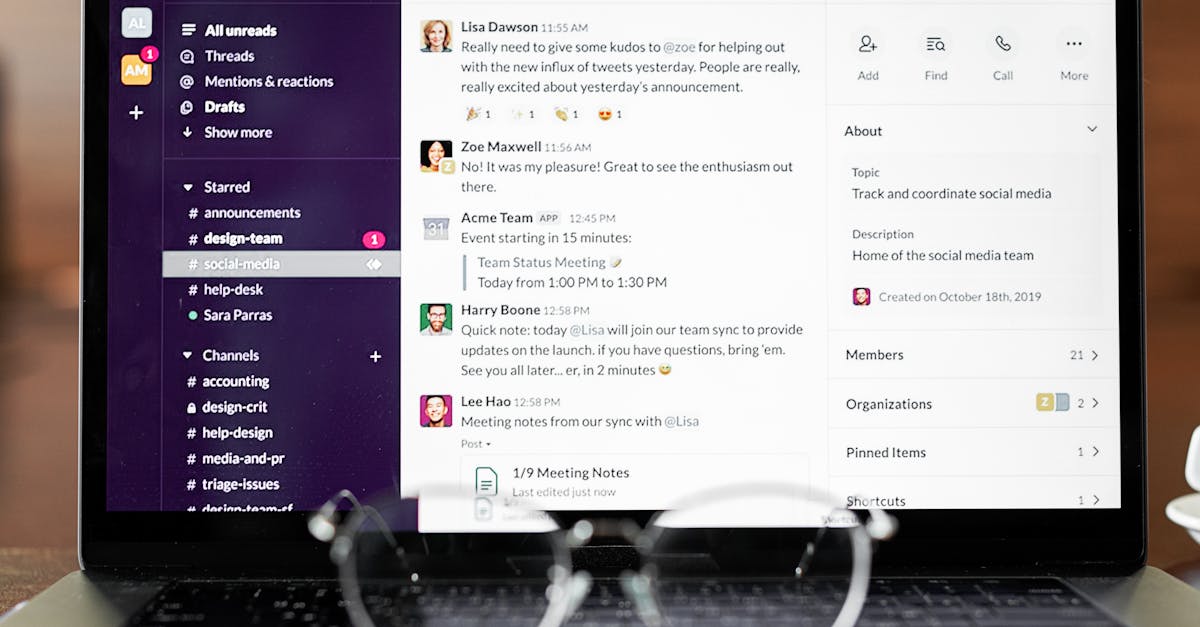
Looking for the best slack alternatives? We tested and compared the top options available in 2026, evaluating features, pricing, ease of use, and real-world performance.
Slack changed how teams communicate at work, but it’s not the only option. If you’re looking for better pricing, tighter integrations with your existing tools, or a simpler experience, these Slack alternatives deserve a look.
1. Microsoft Teams — Best for Microsoft 365 Users
Pricing: Free / $4/user/mo (Essentials) / $12.50/user/mo (Business Standard)
If your organization already uses Microsoft 365, Teams is the obvious choice. It combines chat, video meetings, and deep Office integration in one platform.
Why choose Teams over Slack:
- Included with Microsoft 365 subscriptions
- Better video conferencing
- Native Office document collaboration
- Larger meeting capacity (up to 10,000 participants)
Where Slack wins: Better third-party integrations, cleaner UX, less resource-heavy.
→ Compare Slack vs Microsoft Teams
2. Discord — Best for Communities & Small Teams
Pricing: Free / $2.99/mo (Nitro Basic) / $9.99/mo (Nitro)
Discord isn’t just for gamers anymore. Many startups and open-source teams use it for real-time communication with excellent voice channels.
Why choose Discord over Slack:
- Generous free plan with unlimited message history
- Always-on voice channels
- Screen sharing included free
- Great for community building
Where Slack wins: Professional features, enterprise security, workflow automations.
3. Google Chat — Best for Google Workspace Users
Pricing: Included with Google Workspace ($7/user/mo+)
Google Chat is tightly integrated with Gmail, Google Drive, Docs, and Meet. If your team lives in Google Workspace, it’s the natural communication layer.
Why choose Google Chat over Slack:
- Included with Google Workspace
- Native Google Drive integration
- Seamless Google Meet video calls
- Spaces for topic-based discussions
Where Slack wins: More integrations, better threading, richer app ecosystem.
4. Rocket.Chat — Best Open-Source Option
Pricing: Free (self-hosted) / $4/user/mo (Pro cloud)
For organizations that need full control over their data, Rocket.Chat offers a self-hosted, open-source alternative with end-to-end encryption.
Why choose Rocket.Chat over Slack:
- Self-hosted option for full data control
- Open-source and customizable
- End-to-end encryption
- No vendor lock-in
Where Slack wins: Easier setup, larger integration ecosystem, better UX.
5. Lark — Best All-in-One Suite
Pricing: Free / Custom pricing for enterprise
Lark (by ByteDance) bundles messaging, video meetings, docs, calendar, and project management into one platform — all for free for small teams.
Why choose Lark over Slack:
- Messaging + docs + calendar + video in one app
- Generous free plan
- Built-in project management
- Real-time document collaboration
Where Slack wins: More third-party integrations, larger Western user base.
6. Twist — Best for Async Communication
Pricing: Free / $6/user/mo (Unlimited)
Built by the Todoist team, Twist is designed for async-first teams. Instead of real-time chat that demands constant attention, Twist organizes conversations into threads.
Why choose Twist over Slack:
- Async-first design reduces interruptions
- Better thread organization
- Cleaner notification management
- Great for remote/distributed teams
Where Slack wins: Real-time collaboration, more integrations, larger ecosystem.
Quick Comparison
| Tool | Free Plan | Starting Price | Best For |
|---|---|---|---|
| Microsoft Teams | ✅ | $4/user/mo | Microsoft 365 users |
| Discord | ✅ | $2.99/mo | Communities & startups |
| Google Chat | ❌ | $7/user/mo* | Google Workspace users |
| Rocket.Chat | ✅ | Free (self-hosted) | Data control & privacy |
| Lark | ✅ | Free | All-in-one suite |
| Twist | ✅ | $6/user/mo | Async teams |
*Included with Google Workspace subscription
Bottom Line
Already in Microsoft 365? → Microsoft Teams is free for you. Need async-first messaging? → Twist reduces notification fatigue. Want everything in one app? → Lark bundles it all. Need data sovereignty? → Rocket.Chat lets you self-host.
Most teams should start with whatever integrates best with their existing tools. Try the free plans and see what sticks.
→ Read our full Slack pricing breakdown
Frequently Asked Questions
What is the best slack alternatives in 2026?
The best choice depends on your specific needs, team size, and budget. See our ranked list above with detailed comparisons for each option.
Are there free slack alternatives available?
Yes, most tools in this category offer free tiers. See each tool’s pricing details in our comparison above.
How do I choose the right slack alternatives?
Consider your team size, budget, required features, and integrations. Our comparison criteria above will help you narrow down the best fit.