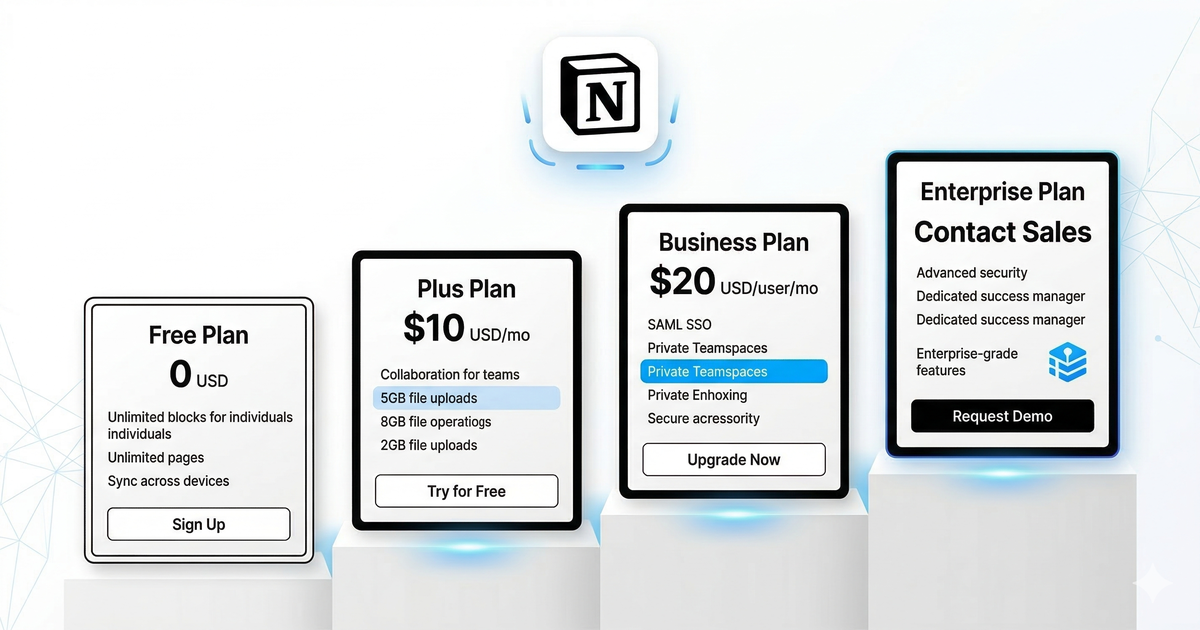
Notion has become one of the most popular productivity tools in the world, but understanding its pricing can be confusing. With four plans, AI add-ons, and various discounts, it’s hard to know which option gives you the best value. Here’s the complete breakdown for 2026.
Notion Pricing at a Glance
| Plan | Price | Best For |
|---|---|---|
| Free | $0 | Individuals getting started |
| Plus | $10/user/mo (annual) or $12/mo (monthly) | Power users & small teams |
| Business | $18/user/mo (annual) or $21/mo (monthly) | Growing teams & companies |
| Enterprise | Custom pricing | Large organizations |
All paid plans include a 20% discount when billed annually. Prices shown above are the annual billing rates unless noted.
Free Plan: More Generous Than You Think
Notion’s Free plan is surprisingly capable:
- Unlimited pages and blocks (the old 1,000 block limit is gone)
- Share with up to 10 guests
- 7-day page history
- 10 MB file upload limit
- Basic Notion AI (limited queries per day)
- Synced databases and all page types
The Free plan is genuinely usable for personal note-taking, journaling, and light project management. The main limitations are guest sharing (10 people max), file upload size, and page history.
Who it’s for: Students, personal users, and anyone who wants to try Notion before committing to a paid plan.
Plus Plan ($10/user/month): The Sweet Spot
The Plus plan (formerly “Personal Pro” then “Plus”) is where Notion becomes truly powerful:
Everything in Free, plus:
- Unlimited guests
- Unlimited file uploads (no size limit)
- 30-day page history
- Notion AI included (full access, no daily limits)
- Custom automations
- Bulk export
The biggest upgrades over Free are unlimited file uploads and full Notion AI access. If you’re using Notion seriously for work or study, the $10/month is well worth it.
Who it’s for: Individual power users, freelancers, and small teams (2-5 people) who want the full Notion experience.
Business Plan ($18/user/month): For Growing Teams
The Business plan adds enterprise-lite features:
Everything in Plus, plus:
- SAML SSO (single sign-on)
- Private team spaces
- 90-day page history
- Bulk PDF export
- Advanced permissions and roles
- Notion AI included
- Audit log (basic)
The jump from Plus to Business is primarily about access control and security. If you’re a team of 5 or fewer without strict security requirements, Plus is usually sufficient.
Who it’s for: Teams of 10-100+ who need SSO, advanced permissions, and private spaces.
Enterprise Plan (Custom): Full Control
Enterprise adds everything large organizations need:
Everything in Business, plus:
- Unlimited page history
- Advanced audit log
- SCIM provisioning
- Custom data retention
- Dedicated customer success manager
- 99.9% SLA
- Advanced security controls
- Workspace analytics
You’ll need to contact Notion’s sales team for pricing, which typically starts around $25/user/month depending on team size and contract terms.
Who it’s for: Organizations with 100+ users, strict compliance requirements, or need for dedicated support.
Notion AI: What’s Included?
As of 2026, Notion AI is included in all paid plans (Plus, Business, Enterprise) at no additional cost. This was a significant change from 2024, when AI was a $10/user/month add-on.
Free plan users get limited Notion AI access — approximately 20 AI queries per day. For unlimited AI usage, you’ll need to upgrade to Plus.
Notion AI features include:
- AI writing assistance (drafting, editing, summarizing)
- Q&A across your workspace (ask questions about your notes)
- Autofill properties in databases
- AI-powered search improvements
- Translation and tone adjustment
For more on AI tools and their capabilities, see our guide on how to choose the right AI tool.
Student & Education Discount
Notion offers the Plus plan completely free for students and educators with a valid .edu email address. This is one of the best education discounts in the productivity space.
How to activate:
- Sign up with your .edu email, or add it to your existing account
- Go to Settings & Members → Plans
- Click “Get the Education Plan”
- Verify your .edu email
This gives you the full Plus plan ($10/month value) for free, for as long as you have a valid .edu address.
Nonprofit Discount
Registered nonprofits and charitable organizations can get 50% off any Notion plan. To apply:
- Visit notion.so/nonprofits
- Submit your organization details
- Provide proof of nonprofit status
- Discount applies within 1-2 weeks
This makes the Plus plan just $5/user/month and Business $9/user/month — excellent value for nonprofits.
Startup Credits
Notion for Startups offers up to $1,000 in credits for early-stage companies. Requirements:
- Less than $5M in funding
- Fewer than 50 employees
- Applied through an approved partner (Y Combinator, Techstars, etc.)
The credits typically cover 6-12 months of the Plus plan for small teams.
Which Plan Should You Choose?
You’re a solo user who just wants notes
→ Free Plan. It’s genuinely good enough. Upgrade to Plus only when you hit file upload limits or need AI.
You’re a student
→ Plus Plan (free with .edu). No reason not to get it — you get the full Plus experience at no cost.
You’re a freelancer or solopreneur
→ Plus Plan ($10/mo). The unlimited file uploads and full AI access justify the cost if Notion is your primary workspace.
You’re a small team (2-10 people)
→ Plus Plan ($10/user/mo). Unless you need SSO, Plus has everything a small team needs. At 5 users, that’s $50/month total.
You’re a growing team (10-50 people)
→ Business Plan ($18/user/mo). SSO, private spaces, and advanced permissions become important at this scale.
You’re a large organization (50+ people)
→ Enterprise. Contact sales. The audit log, SCIM provisioning, and SLA are worth negotiating for.
Notion vs Competitors: Pricing Comparison
| Tool | Free Plan | Paid Starting At | AI Included? |
|---|---|---|---|
| Notion | ✅ Generous | $10/user/mo | ✅ (paid plans) |
| ClickUp | ✅ | $7/user/mo | Add-on |
| Monday.com | ✅ (2 users) | $9/seat/mo | Add-on |
| Obsidian | ✅ | $4/mo (sync only) | No |
| Evernote | ✅ (limited) | $14.99/mo | ✅ |
Notion offers strong value in the mid-range. It’s pricier than ClickUp’s base plan but includes AI, and it’s significantly cheaper than Evernote for comparable features. For a deeper comparison, check out Notion vs ClickUp or our best Notion alternatives guide.
Tips to Save Money on Notion
- Always pay annually — save 20% compared to monthly billing
- Use your .edu email if you’re a student or educator
- Apply for nonprofit discount if eligible (50% off)
- Start with Free — don’t upgrade until you actually need paid features
- Check startup programs if you’re an early-stage company
- Share one workspace instead of creating multiple (each workspace bills separately)
Is Notion Worth Paying For?
For individuals, the Free plan covers most needs. The Plus plan is worth it if you use Notion daily and want AI features plus unlimited uploads.
For teams, Notion is competitively priced and offers more flexibility than most alternatives. The ability to replace multiple tools (notes, wiki, project management, docs) with one subscription makes the per-user cost easier to justify.
The real question is whether Notion fits your workflow. If it does, the pricing is fair. If you’re only using it for basic notes, a free alternative like Obsidian or Apple Notes might serve you better.
Exploring your options? Read our best Notion alternatives guide or compare the best free AI tools in 2026 to build your perfect productivity stack.