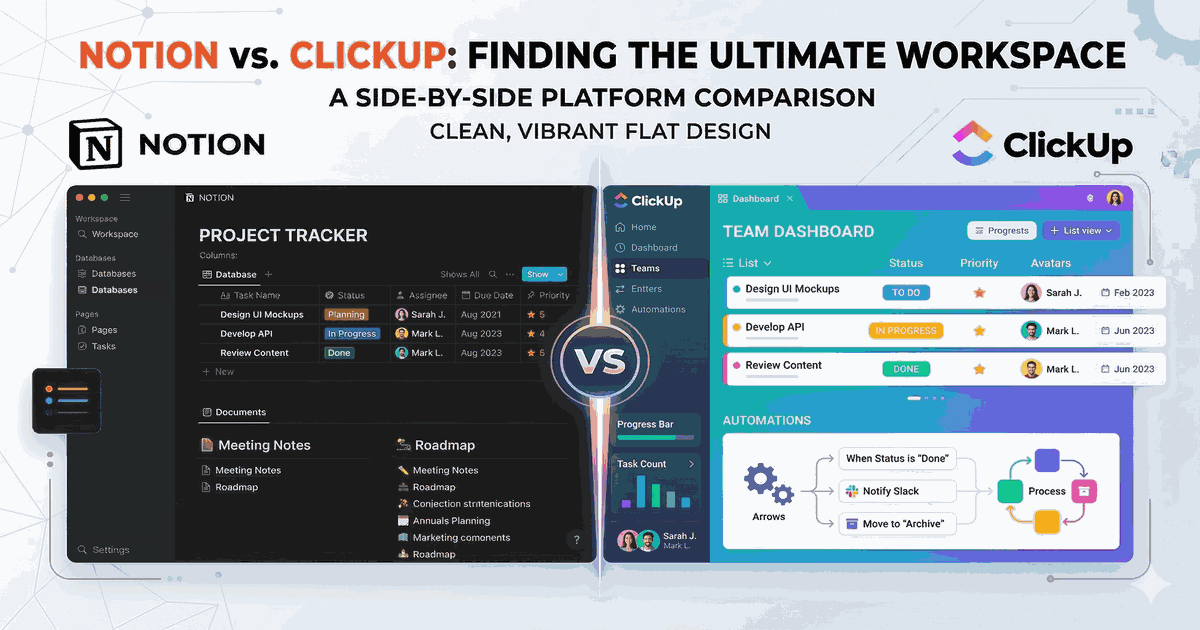
Notion and ClickUp are two of the most popular all-in-one productivity platforms in 2026. Both promise to replace multiple tools with a single workspace, but they take very different approaches. In this head-to-head comparison, we break down exactly where each tool shines and where it falls short.
Quick Verdict
Choose Notion if you want a flexible workspace for docs, wikis, and lightweight project management. It’s elegant, customizable, and has a thriving template marketplace.
Choose ClickUp if you need robust project management with built-in time tracking, goals, and multiple project views. It packs more PM-specific features at a lower price point.
For a detailed feature-by-feature comparison, see our Notion vs ClickUp comparison page.
Pricing: ClickUp Wins on Value
Let’s start with what matters to many teams — cost.
| Plan | Notion | ClickUp |
|---|---|---|
| Free | Yes (limited blocks for teams) | Yes (generous features) |
| Paid starting | $10/user/month | $7/user/month |
| Business | $18/user/month | $12/user/month |
ClickUp consistently undercuts Notion on pricing, and its free plan is more generous for team use. Notion’s free plan works well for individuals but quickly becomes limiting when collaborating with a team.
Winner: ClickUp — More features at a lower price point.
Features: Both Are Packed, But Different
Notion’s Strengths
Notion’s database system is arguably the most flexible tool for organizing information. You can create relational databases, build custom views, and connect data across pages in ways that feel more like a lightweight app builder than a project management tool.
- Databases with relations and rollups: Build anything from CRMs to content calendars
- Beautiful documentation: Best-in-class for wikis and knowledge bases
- Template marketplace: Thousands of community-created templates
- AI assistant: Built-in writing and analysis help
- API: Build custom integrations and automations
ClickUp’s Strengths
ClickUp is built from the ground up for project management, and it shows. Where Notion requires you to build your own PM system, ClickUp gives you one out of the box.
- Multiple views: List, Board, Gantt, Calendar, Timeline, and more
- Built-in time tracking: No need for a separate tool
- Goals and OKRs: Track progress toward objectives
- Whiteboards: Brainstorm and plan visually
- Docs: Not as flexible as Notion, but getting better
- Dashboards: Real-time reporting and analytics
Winner: Tie — Notion wins for docs and databases; ClickUp wins for project management features.
Ease of Use: Notion Is More Intuitive
Notion has a cleaner, more intuitive interface. The block-based editor feels natural, and most people can start creating pages and databases within minutes.
ClickUp, on the other hand, can feel overwhelming at first. There are so many features, settings, and customization options that new users often don’t know where to start. ClickUp has improved its onboarding significantly, but there’s still a steeper initial learning curve compared to Notion.
That said, ClickUp’s complexity is also its strength — once you’ve set it up, it’s incredibly powerful.
Winner: Notion — Cleaner interface, easier onboarding.
Performance and Speed
This is an important and often overlooked factor. Notion can become sluggish with large databases and complex pages. Users with thousands of database entries or deeply nested page structures may notice loading delays.
ClickUp has had its own performance challenges in the past, but recent improvements have made the app noticeably faster. The mobile app, however, still needs work on both platforms.
Winner: Slight edge to ClickUp in recent updates, but both have room to improve.
Integrations
Both tools integrate with popular apps like Slack, Google Drive, and GitHub. Notion’s API has enabled a rich ecosystem of third-party integrations and tools built on top of it. ClickUp offers more native integrations out of the box, including direct integrations with time tracking and communication tools.
Winner: Tie — Both have strong integration ecosystems.
Best For
Choose Notion If You’re:
- A startup building a company wiki and knowledge base
- A freelancer managing clients and projects
- A student organizing notes and assignments
- Someone who values beautiful, flexible documentation
- A team that prefers to build custom workflows from scratch
Choose ClickUp If You’re:
- A team that needs structured project management
- An agency juggling multiple client projects
- A team that needs built-in time tracking and reporting
- Someone who wants the most features for the lowest price
- A team transitioning from tools like Asana or Monday.com
The Bottom Line
Both Notion and ClickUp are excellent tools that can genuinely replace multiple apps. The right choice depends on what you prioritize:
- Flexibility and docs → Notion
- Project management power → ClickUp
- Budget-conscious teams → ClickUp
- Knowledge management → Notion
The good news is that both offer generous free plans. Try each one for a week with your actual work, and the right choice will become obvious.
Want to explore more options? Check out our best project management tools for 2026 or see Notion alternatives to discover other tools in this space.