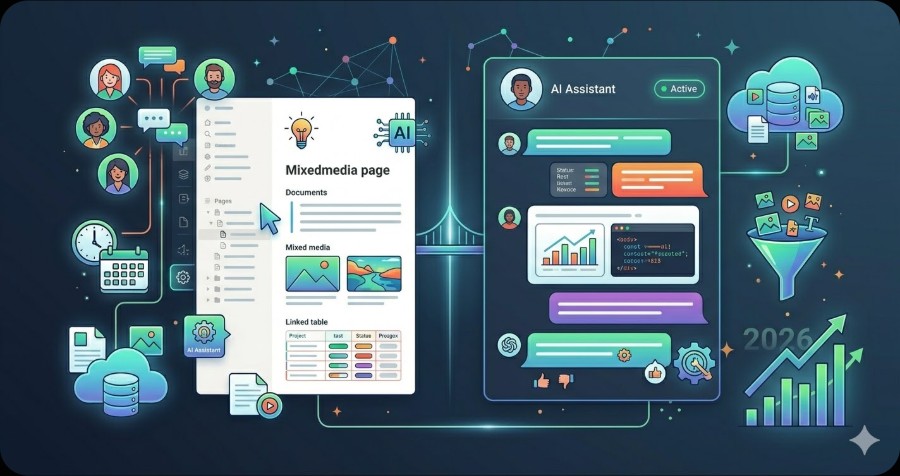
Notion Ai and Chatgpt are both popular tools in their category, but they serve different needs and audiences. This guide compares their features, pricing, and best use cases to help you choose the right one.
AI assistants have become essential tools for knowledge workers, writers, and teams. Two of the most popular options are Notion AI and ChatGPT — but they serve very different purposes. This guide breaks down how each tool works, what it costs, and who should use which.
Overview
| Feature | Notion AI | ChatGPT |
|---|---|---|
| Pricing | $10/member/month (add-on) | Free / Plus $20 / Team $25/user |
| Primary Use | Workspace-integrated writing | General-purpose AI chat |
| Context Awareness | Your Notion pages and databases | Uploaded files + web (paid) |
| Offline Content | Works within Notion | No |
| API Access | No | Yes (paid plans) |
What Is Notion AI?
Notion AI is an add-on built directly into your Notion workspace. Rather than switching to a separate app, you can invoke AI assistance while editing any page, database, or document.
Key capabilities:
- Summarize meeting notes or long documents in one click
- Draft first-pass content based on existing page context
- Translate pages into dozens of languages
- Extract action items from notes
- Ask questions about your own Notion content (“Q&A” feature)
Because Notion AI reads your workspace, it understands context that a general-purpose chatbot cannot. If you have a project database with 50 tasks, Notion AI can summarize status, identify blockers, and suggest next steps — without you manually copying content into a chat window.
Pricing: $10 per member per month, billed as an add-on on top of your existing Notion plan. There is no free tier for Notion AI beyond a limited trial.
What Is ChatGPT?
ChatGPT, built by OpenAI, is the most widely used general-purpose AI assistant in the world. It handles writing, coding, research, analysis, image generation (Plus+), and much more.
Key capabilities:
- Write and edit any type of content
- Answer questions on virtually any topic
- Analyze uploaded documents, spreadsheets, and images
- Generate Python, JavaScript, SQL, and other code
- Browse the web for current information (Plus+)
- Create images with DALL-E (Plus+)
- Build custom GPTs for specific workflows
Pricing:
- Free: GPT-4o (limited), basic features
- Plus: $20/month — full GPT-4o access, web browsing, image generation, file uploads
- Team: $25/user/month — shared workspace, admin controls, higher rate limits
- Enterprise: Custom pricing
Head-to-Head Comparison
Writing Quality
Both tools produce high-quality writing, but the context differs. ChatGPT generates content from scratch based on your prompt. Notion AI generates content that is aware of your existing workspace — useful when writing a weekly update that references last week’s tasks.
Winner: Tie. ChatGPT is more capable for standalone writing tasks; Notion AI wins when workspace context matters.
Workflow Integration
Notion AI wins decisively here. You never leave your workspace. ChatGPT requires copy-pasting content in and out, which breaks flow and creates version control headaches.
Winner: Notion AI
Versatility
ChatGPT handles coding, math, image generation, data analysis, and research — tasks Notion AI cannot perform at all. If you need an AI assistant that does more than write and summarize, ChatGPT is the clear choice.
Winner: ChatGPT
Pricing Value
For a solo user, ChatGPT Plus at $20/month provides more raw capability than Notion AI at $10/month. However, if you already use Notion for a team of 5, the $50/month add-on cost may be worth it to keep everyone in one tool.
Winner: Depends on team size and Notion usage
Data Privacy
Notion AI keeps your content within the Notion ecosystem, which may matter for teams with sensitive internal documents. ChatGPT Team and Enterprise plans offer data privacy controls, but the free and Plus tiers may use your data for training.
Winner: Notion AI (for sensitive internal content)
Who Should Use Notion AI?
Use Notion AI if:
- Your team already lives in Notion for notes, projects, and wikis
- You want AI assistance without switching apps
- You need to query or summarize your own internal knowledge base
- You value context-aware writing over raw power
Who Should Use ChatGPT?
Use ChatGPT if:
- You need a general-purpose AI for diverse tasks
- You write, code, analyze data, or generate images
- You want the most capable model available
- You don’t use Notion (or use a different workspace tool)
Can You Use Both?
Yes — and many power users do. A common workflow: use ChatGPT for research, first drafts, and coding tasks, then paste results into Notion and use Notion AI to refine, summarize, and connect the content to your workspace.
Verdict
Choose Notion AI if your entire workflow already runs through Notion and you want seamless AI assistance without context-switching.
Choose ChatGPT if you need a versatile, powerful AI assistant that handles a wide range of tasks beyond your workspace.
For most individuals starting fresh, ChatGPT Plus offers more value per dollar. For established Notion teams, the Notion AI add-on pays for itself quickly by eliminating manual summarization and status updates.
Further Reading
- ChatGPT vs Claude: Which AI Is Better?
- Notion Pricing 2026: Complete Breakdown
- Best AI Chatbots in 2026
Ready to compare more AI tools side by side? Browse our full AI tools directory →
Frequently Asked Questions
Is Notion Ai or Chatgpt better?
It depends on your needs. Notion Ai and Chatgpt excel in different areas — compare features, pricing, and use cases above to find the best fit for your workflow.
Can I use Notion Ai and Chatgpt together?
Yes, many teams use both. Notion Ai and Chatgpt can complement each other depending on your workflow requirements.
Which is cheaper, Notion Ai or Chatgpt?
Check the pricing comparison table above for current plans. Both offer free tiers, but paid plan pricing varies significantly based on team size and features needed.