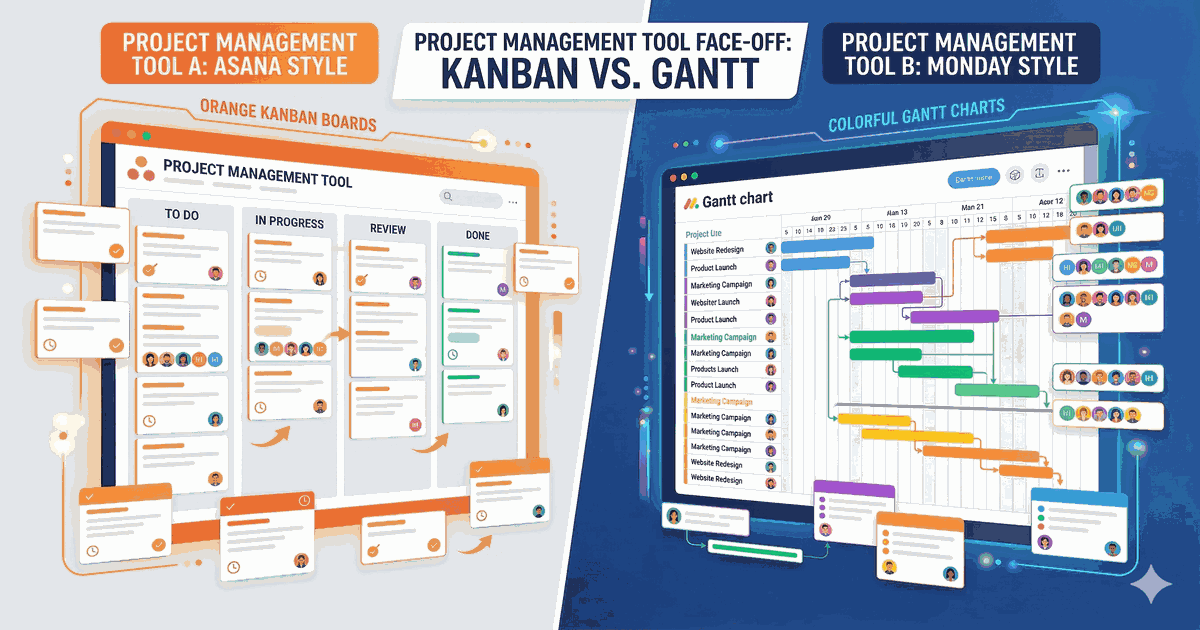
Asana and Monday.com are two of the most popular project management tools on the market. Both serve teams of all sizes, but they take noticeably different approaches to work management. In this comparison, we break down exactly which tool fits your workflow best.
Quick Verdict
Choose Asana if you want a clean, structured task management experience with powerful timeline views, goals tracking, and a generous free plan for small teams.
Choose Monday.com if you want a visual, highly customizable work OS with built-in CRM capabilities, beautiful dashboards, and automation-first workflows.
For a side-by-side feature breakdown, check our Asana vs Monday.com comparison page.
Pricing Comparison
| Plan | Asana | Monday.com |
|---|---|---|
| Free | ✅ Up to 10 users | ✅ Up to 2 seats |
| Starter/Basic | $10.99/user/mo | $9/seat/mo |
| Advanced/Standard | $24.99/user/mo | $12/seat/mo |
| Enterprise | Custom | Custom |
Key difference: Monday.com requires a minimum of 3 seats on paid plans, which means your minimum monthly cost starts at $27/mo. Asana lets individual users upgrade without seat minimums.
For teams of 10+, Monday.com’s Standard plan ($12/seat) offers more features per dollar than Asana’s Advanced plan ($24.99/user). But for smaller teams, Asana’s free tier is far more generous.
Features: Where Each Tool Shines
Asana’s Strengths
- Timeline View: Gantt-style project timelines that make dependency management intuitive
- Goals & Portfolios: Built-in OKR tracking and portfolio-level project oversight
- Forms: Standardize work requests with customizable intake forms
- Clean UX: Minimalist interface that’s easy to learn
Monday.com’s Strengths
- Visual Dashboards: Best-in-class reporting and data visualization
- Built-in CRM: WorkOS includes native CRM functionality — no extra tool needed
- Automations: Powerful no-code automation builder with 200+ templates
- Customization: Highly flexible column types and board structures
Ease of Use
Asana follows a more traditional task management approach. If you’ve used tools like Todoist or Basecamp, Asana will feel familiar. The learning curve is gentle, and the interface stays out of your way.
Monday.com is more visual and widget-driven. It feels like building with Lego blocks — powerful but potentially overwhelming for new users. The trade-off is much greater customization potential once you learn the system.
Winner: Asana for simplicity. Monday.com for power users who want full control.
Integrations & Ecosystem
Both tools integrate with 200+ apps including Slack, Google Workspace, Microsoft Teams, and Zoom.
- Asana has deeper integrations with developer tools (GitHub, Jira) and a robust API
- Monday.com has stronger integrations with CRM and marketing tools, plus a native marketplace
Who Should Choose What?
| Use Case | Best Pick |
|---|---|
| Small teams (< 10) | Asana (better free plan) |
| Sales teams | Monday.com (built-in CRM) |
| Engineering teams | Asana (Jira/GitHub integration) |
| Marketing agencies | Monday.com (visual dashboards) |
| Enterprise / OKR tracking | Asana (Goals feature) |
| Non-technical teams | Monday.com (visual, intuitive) |
The Bottom Line
Both are excellent tools that can handle most project management needs. Asana excels at structured task management with a cleaner interface, while Monday.com offers more visual flexibility and built-in CRM capabilities.
Our recommendation: Start with the free plan of each tool and test with your actual workflow for a week. The right choice depends more on your team’s work style than feature lists.
Want to explore other options? Check out the best project management tools in 2026 or browse Asana alternatives and Monday.com alternatives.