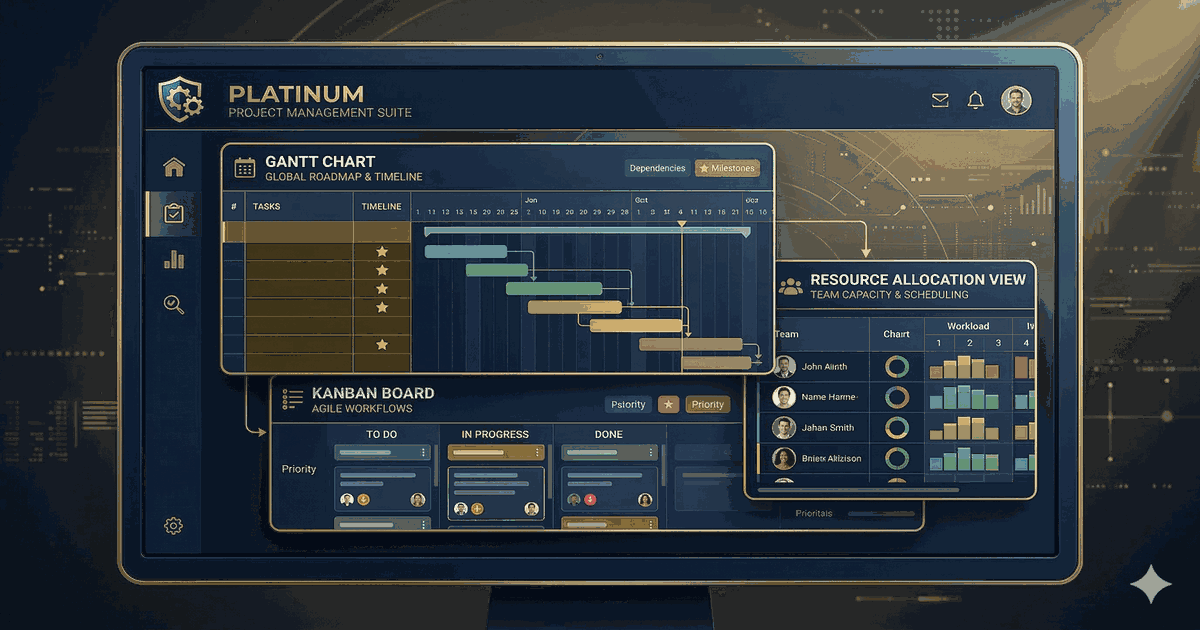
Choosing the right project management tool as a freelancer in 2026 can make or break your productivity. ClickUp vs Notion vs Trello vs Asana — which one should you pick? With so many options available, it’s easy to feel overwhelmed. In this expert comparison, we break down the best project management tools for freelancers based on features, pricing, ease of use, and who they’re best for.
What to Look for in a Project Management Tool
Before diving into the list, here’s what matters most when choosing a PM tool:
- Views: Do you need Kanban boards, Gantt charts, calendars, or all three?
- Collaboration: Real-time editing, comments, and file sharing capabilities.
- Integrations: How well does it connect with your existing tools (Slack, Google Workspace, etc.)?
- Pricing: Does the free plan meet your needs, or will you need to upgrade quickly?
- Scalability: Can it grow with your team from 5 to 500 people?
1. Notion — Best for All-in-One Workspaces
Notion continues to dominate in 2026 as the Swiss Army knife of productivity. It combines notes, databases, wikis, and project management into a single workspace that’s surprisingly flexible.
Pricing: Free for individuals / $10 per user/month for teams
Best for: Startups, students, freelancers, and small teams that want one tool for everything.
Notion’s database system lets you build custom project trackers, CRMs, and content calendars without any code. The AI assistant, added in recent updates, helps with writing and data analysis right inside your workspace.
If you’re deciding between Notion and other tools, check out our detailed Notion vs ClickUp comparison to see how they stack up.
2. Asana — Best for Structured Team Workflows
Asana excels at structured project management with clear task hierarchies, dependencies, and timeline views. It’s the go-to choice for marketing teams and agencies that need to manage complex campaigns.
Pricing: Free for up to 10 users / $10.99 per user/month
Best for: Teams, enterprise organizations, marketing teams, and agencies.
The Portfolio feature gives managers a bird’s-eye view of all projects, making it easy to spot bottlenecks before they become problems.
See how Asana compares: Asana vs Monday.com
3. ClickUp — Best Value for Feature-Rich PM
ClickUp packs an incredible number of features into an affordable package. From docs to whiteboards to time tracking, it genuinely tries to replace multiple tools with one platform.
Pricing: Free forever plan / $7 per user/month for unlimited
Best for: Startups, small teams, agencies, and freelancers looking for the most features per dollar.
The free plan is one of the most generous in the space, with unlimited tasks, members, and many features that competitors lock behind paid plans.
4. Monday.com — Best for Visual Project Tracking
Monday.com stands out with its colorful, intuitive interface that makes project tracking feel less like work. The built-in CRM module means sales teams don’t need a separate tool.
Pricing: Free for up to 2 seats / $9 per seat/month
Best for: Teams, sales teams, marketing teams, and enterprises that value visual workflows.
The automation builder is particularly impressive, letting you create complex if-then workflows without any technical knowledge.
5. Trello — Best for Simple Kanban
Trello is the simplest project management tool on this list, and that’s its greatest strength. If you just need a visual Kanban board without the complexity, Trello delivers.
Pricing: Free / $5 per user/month for Standard
Best for: Small teams, individuals, beginners, and simple projects.
Power-Ups extend Trello’s functionality, adding calendar views, time tracking, and integrations as needed.
6. Linear — Best for Software Development Teams
Linear has earned a devoted following among engineering teams for its speed and thoughtful design. Every interaction feels instant, and the keyboard-first approach means developers rarely need to reach for the mouse.
Pricing: Free for small teams / $8 per user/month
Best for: Developers, engineering teams, and startups building software products.
Comparison Table: At a Glance
| Tool | Free Plan | Starting Price | Best For | Rating |
|---|---|---|---|---|
| Notion | Yes | $10/mo | All-in-one teams | 4.6/5 |
| Asana | Yes | $10.99/mo | Structured teams | 4.4/5 |
| ClickUp | Yes | $7/mo | Feature seekers | 4.5/5 |
| Monday.com | Yes | $9/mo | Visual teams | 4.5/5 |
| Trello | Yes | $5/mo | Simple Kanban | 4.3/5 |
| Linear | Yes | $8/mo | Dev teams | 4.8/5 |
Which Tool Should You Pick?
The “best” project management tool depends entirely on your team’s needs:
- Want one tool for everything? Go with Notion or ClickUp.
- Need structured workflows? Asana or Monday.com are your best bet.
- Keep it simple? Trello is hard to beat — or check out the best Trello alternatives.
- Building software? Linear is purpose-built for you.
- Managing a remote team? See our best collaboration tools for remote teams.
Not sure where to start? Read our step-by-step guide on how to choose the right project management tool for a structured decision-making approach.
Most of these tools offer free plans, so the best approach is to try two or three and see which one clicks with your team’s workflow. Don’t overthink it — you can always switch later.
Detailed Pricing Comparison
Price matters, especially for growing teams. Here’s how the costs scale:
| Tool | 5 Users/mo | 15 Users/mo | 50 Users/mo |
|---|---|---|---|
| Notion | $50 | $150 | $500 |
| Asana | $55 | $165 | $550 |
| ClickUp | $35 | $105 | $350 |
| Monday.com | $45 | $135 | $450 |
| Trello | $25 | $75 | $250 |
| Linear | $40 | $120 | $400 |
For a deeper dive into specific pricing, check out ClickUp Pricing 2026 and Notion Pricing 2026.
Final Thoughts
The project management landscape in 2026 is more competitive than ever, which is great news for users. Every tool on this list is solid, and most offer generous free plans to get started.
Looking for more comparisons? Check out our best free AI tools guide to see how AI can supercharge your project management workflow, or explore the best AI writing tools in 2026 for content creation.