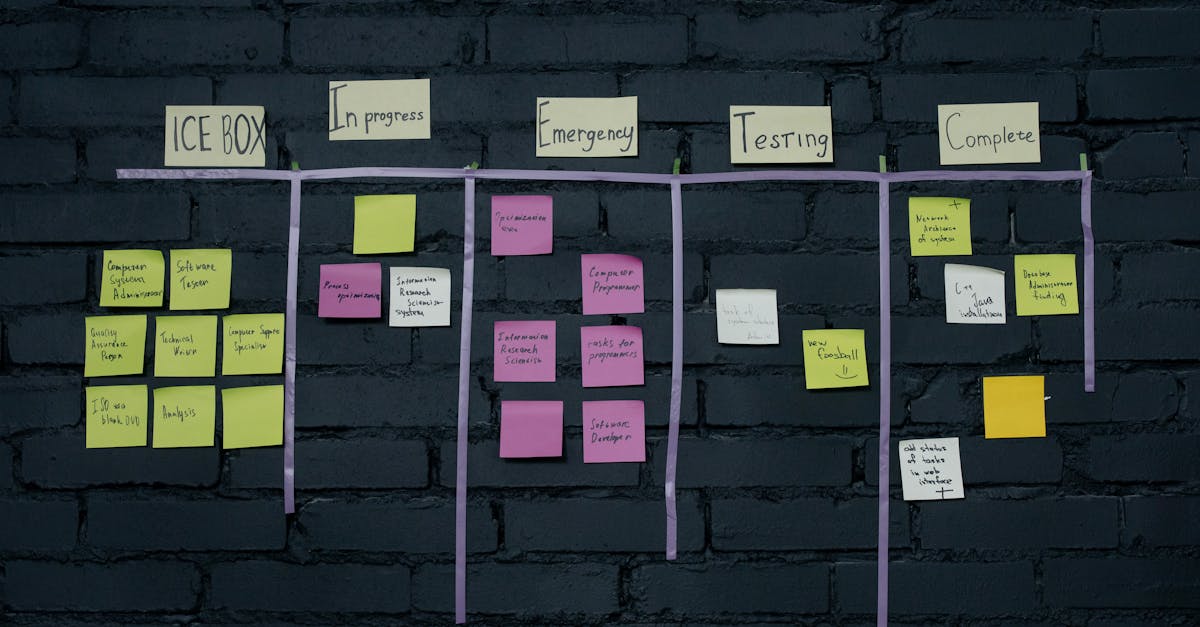
Trello remains one of the most recognizable project management tools in 2026 — loved for its simplicity and kanban-first approach. But with four pricing tiers and significant feature differences between them, choosing the right plan isn’t always straightforward.
This guide breaks down every Trello plan, what you actually get at each tier, and whether Trello is still worth it compared to the competition.
Trello Pricing at a Glance
| Plan | Price | Power-Ups | Views | Storage |
|---|---|---|---|---|
| Free | $0/month | Unlimited | Board only | 10 MB/file |
| Standard | $5/user/month | Unlimited | Board + Timeline | 250 MB/file |
| Premium | $10/user/month | Unlimited | All views | Unlimited |
| Enterprise | $17.50/user/month | Unlimited | All views | Unlimited |
Trello Free Plan
Price: $0/month
Trello’s free plan is one of the most generous in the project management space. You get unlimited cards, up to 10 boards per workspace, and unlimited Power-Ups — which used to be a paid-only feature.
What you get:
- Unlimited cards
- Up to 10 boards per workspace
- Unlimited Power-Ups
- Built-in automations (250 command runs/month)
- Board view
- Card attachments (10 MB limit per file)
- Activity log
- iOS and Android apps
- Two-factor authentication
Limitations:
- 10 boards per workspace (the biggest restriction)
- Board view only (no timeline, calendar, dashboard, table, or map)
- 250 automation runs/month
- 10 MB file size limit
- No custom fields on free (limited)
- No priority support
Best for: Individuals, freelancers, and very small teams who need a simple kanban board for task management. If your workflow fits within 10 boards and you only need the board view, the free plan is genuinely excellent.
Trello Standard Plan
Price: $5/user/month
Standard is Trello’s entry-level paid plan, and it addresses the free plan’s biggest limitations — board limits and views.
What you get:
- Everything in Free
- Unlimited boards
- Timeline view (Gantt-style)
- Custom fields
- 1,000 automation runs/month
- Single board guests
- Saved searches
- 250 MB file attachment limit
Key upgrade from Free: The jump from 10 to unlimited boards alone justifies the $5/month for many teams. The timeline view adds basic project scheduling, and custom fields let you track data beyond the default card structure.
Best for: Small teams of 2-10 people who’ve outgrown the 10-board limit and need basic project timeline visibility. At $5/user/month, it’s one of the most affordable paid project management tools available.
Trello Premium Plan
Price: $10/user/month
Premium is where Trello transforms from a simple kanban tool into a more complete project management platform. The addition of dashboard, table, calendar, and map views makes it significantly more versatile.
What you get:
- Everything in Standard
- Dashboard view (charts and reporting)
- Table view (spreadsheet-like)
- Calendar view
- Map view
- Workspace views (see all boards at once)
- Unlimited automation runs
- Admin and security features
- Priority support
- Collections for organizing boards
- Simple data export (CSV, JSON)
Key upgrade from Standard: The unlimited automations and additional views are the major draws. Dashboard view gives you project reporting without external tools, and table view is essential for teams that need a spreadsheet perspective of their data.
Standard vs Premium: Is $10 Worth It?
For teams that rely heavily on Trello, yes. The dashboard and calendar views alone can replace supplementary tools you might be paying for separately. Unlimited automations remove the anxiety of hitting monthly caps. However, if your team primarily uses the board view and doesn’t need reporting, Standard at $5 is perfectly adequate.
Best for: Teams of 5-50 people who use Trello as their primary project management tool and need reporting, multiple views, and robust automations.
Trello Enterprise Plan
Price: $17.50/user/month
Enterprise adds organization-wide controls, advanced security, and features designed for companies managing multiple teams on Trello.
What you get:
- Everything in Premium
- Unlimited workspaces
- Organization-wide permissions
- Multi-board guests
- Attachment restrictions
- Power-Up administration
- Free SSO (SAML)
- Organization-visible boards
Best for: Companies with 50+ users who need centralized administration, SSO, and cross-team governance. The price jump from Premium is modest ($7.50/user), making it reasonable for organizations that need the security features.
Power-Ups: No Longer a Differentiator
Trello made a smart move by making Power-Ups unlimited on all plans — including Free. Power-Ups are integrations that extend Trello’s functionality:
- Slack — get Trello notifications in Slack channels
- Google Drive — attach Drive files to cards
- Jira — sync with Jira issues
- Custom Fields — add structured data to cards (Standard+)
- Calendar — view cards with dates in calendar format (Premium+)
- Voting — let team members vote on cards
Since Power-Ups are unlimited on every plan, the decision to upgrade now depends entirely on views, automations, and administrative features.
View Restrictions: The Real Pricing Lever
Trello’s view availability is the single biggest factor in choosing a plan:
| View | Free | Standard | Premium | Enterprise |
|---|---|---|---|---|
| Board (Kanban) | Yes | Yes | Yes | Yes |
| Timeline (Gantt) | No | Yes | Yes | Yes |
| Table | No | No | Yes | Yes |
| Calendar | No | No | Yes | Yes |
| Dashboard | No | No | Yes | Yes |
| Map | No | No | Yes | Yes |
| Workspace | No | No | Yes | Yes |
If you only need the kanban board, the Free plan works. If you need a timeline, Standard is the minimum. For full visibility across multiple views, Premium is required.
Trello’s Strengths
-
Unmatched simplicity. Trello’s drag-and-drop kanban interface is the easiest to learn in the industry. New team members can be productive within minutes.
-
Generous free tier. Unlimited cards, unlimited Power-Ups, and solid mobile apps — all for free.
-
Affordable paid plans. At $5-$10/user/month, Trello undercuts most competitors significantly. Asana starts at $10.99, ClickUp’s paid plans start at $7, and Monday.com starts at $9.
-
Excellent mobile apps. Trello’s iOS and Android apps are among the best in the category — fast, intuitive, and fully functional.
-
Atlassian ecosystem. If your organization uses Jira, Confluence, or Bitbucket, Trello integrates seamlessly within the Atlassian ecosystem.
Trello’s Weaknesses
-
Limited for complex projects. Trello’s simplicity is a double-edged sword. For projects with dependencies, resource management, or complex reporting needs, it falls short.
-
Views locked behind Premium. Calendar and dashboard views are essential for many teams, and locking them behind the $10/month tier feels restrictive.
-
No native time tracking. You’ll need a Power-Up or external tool for time tracking — a feature many competitors include natively.
-
Reporting is basic. Even Premium’s dashboard view is limited compared to dedicated project management tools. You won’t get resource allocation, burndown charts, or advanced analytics.
-
Scaling issues. Boards with hundreds of cards become unwieldy. Trello works best with focused boards of 50-100 cards, not as a comprehensive project database.
Cost Comparison: Trello vs Competitors
| Tool | Free Plan | Entry Paid | Mid Tier |
|---|---|---|---|
| Trello | Generous (unlimited cards) | $5/user/mo | $10/user/mo |
| Asana | Good (up to 10 users) | $10.99/user/mo | $24.99/user/mo |
| ClickUp | Very generous | $7/user/mo | $12/user/mo |
| Monday.com | Limited (2 users) | $9/seat/mo | $12/seat/mo |
| Notion | Generous | $8/user/mo | $15/user/mo |
Trello is the most affordable option for teams that primarily need kanban boards with basic project management. For a deeper comparison, see our Trello vs Asana breakdown.
Who Should Use Trello?
Trello is ideal for:
- Teams that love the kanban methodology
- Small teams (2-15 people) managing straightforward projects
- Non-technical teams that need minimal onboarding
- Organizations already in the Atlassian ecosystem
- Budget-conscious teams that need an affordable PM tool
Trello is NOT ideal for:
- Teams managing complex projects with dependencies
- Organizations that need advanced reporting and analytics
- Large teams (50+) needing resource management
- Teams that need built-in time tracking
Which Trello Plan Should You Choose?
- “I work alone or with 1-2 people” → Free
- “My team needs more than 10 boards” → Standard ($5/mo)
- “We need calendar, dashboard, and reporting” → Premium ($10/mo)
- “We need SSO and org-wide controls” → Enterprise ($17.50/mo)
Final Verdict
Trello in 2026 remains the best choice for teams that value simplicity above all else. It doesn’t try to be everything — and that’s its strength. The kanban board experience is unmatched, the pricing is among the most competitive in the industry, and the free plan is genuinely usable.
However, if your projects are growing in complexity and you need reporting, dependencies, or resource management, you’ll likely outgrow Trello. Consider exploring Trello alternatives before committing to a paid plan, especially if you’re comparing it against more full-featured tools.
Our rating: 4/5 — Best kanban tool on the market with excellent pricing, but limited for complex project management needs.
Explore more comparisons to find the right project management tool: