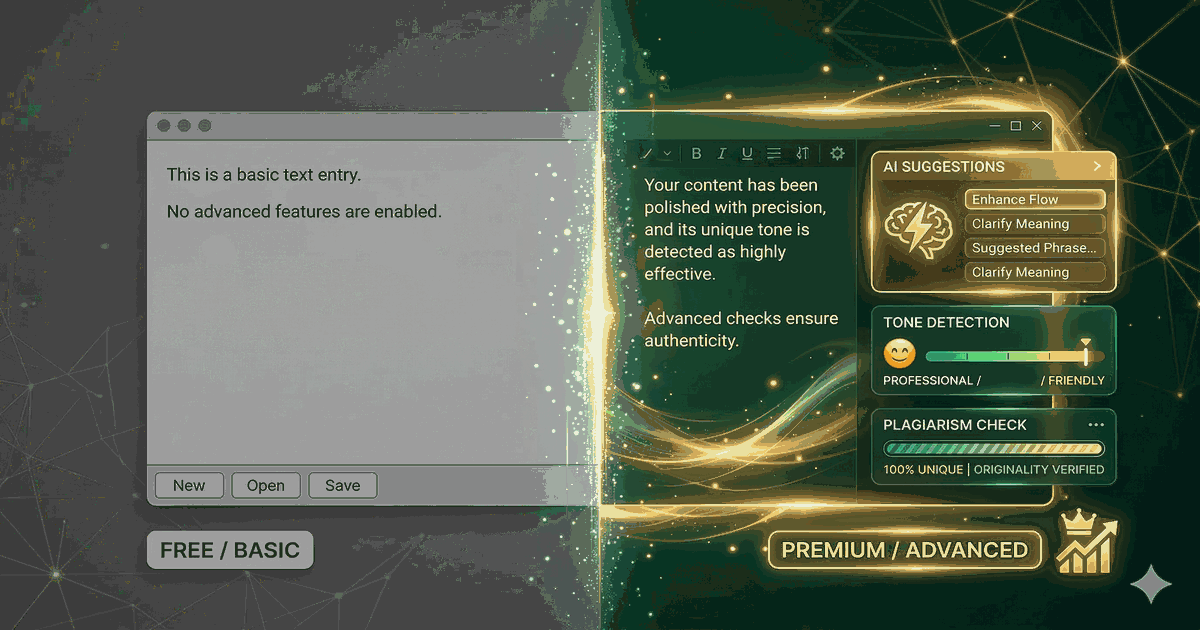
Grammarly’s free plan is one of the most used writing tools in the world. But is the paid version worth $12/month? Here’s an honest breakdown of what you get — and what you don’t — at each tier.
Quick Answer
Free Grammarly handles basic grammar, spelling, and punctuation well. It catches about 70% of the errors most people make.
Grammarly Pro ($12/mo annual) adds tone detection, full-sentence rewrites, plagiarism checking, and AI writing assistance. It’s worth it if you write professionally.
Feature Comparison
| Feature | Free | Pro ($12/mo) | Business ($15/mo) |
|---|---|---|---|
| Grammar & spelling | ✅ | ✅ | ✅ |
| Punctuation | ✅ | ✅ | ✅ |
| Conciseness | ❌ | ✅ | ✅ |
| Tone detection | ❌ | ✅ | ✅ |
| Full-sentence rewrites | ❌ | ✅ | ✅ |
| Word choice suggestions | ❌ | ✅ | ✅ |
| Plagiarism detection | ❌ | ✅ | ✅ |
| AI writing assistant | Limited | Full | Full |
| Style guide | ❌ | ❌ | ✅ |
| Brand tones | ❌ | ❌ | ✅ |
| Admin dashboard | ❌ | ❌ | ✅ |
What Free Grammarly Actually Catches
The free version is genuinely useful. It will catch:
- Spelling errors: Typos, commonly confused words (their/there/they’re)
- Basic grammar: Subject-verb agreement, tense consistency, article usage
- Punctuation: Commas, periods, apostrophes, quotation marks
- Basic formatting: Double spaces, capitalization
This covers the majority of everyday writing errors. For casual emails, social media posts, and personal writing, free Grammarly is often enough.
What You’re Missing Without Pro
1. Clarity & Conciseness Suggestions
Pro identifies wordy phrases and suggests tighter alternatives:
- “Due to the fact that” → “Because”
- “In order to” → “To”
- “At this point in time” → “Now”
These suggestions make your writing noticeably more readable. It’s like having an editor who trims the fat.
2. Tone Detection
Pro analyzes the overall tone of your writing and shows you how it comes across: formal, friendly, confident, concerned, etc. This is surprisingly useful for:
- Email communication (especially tricky messages)
- Client-facing documents
- Social media posts
- Cover letters and applications
3. Full-Sentence Rewrites
Instead of just flagging problems, Pro suggests completely rewritten versions of unclear sentences. This goes beyond grammar correction into actual writing improvement.
4. Plagiarism Detection
Pro checks your text against 16 billion web pages to detect unintentional plagiarism. Essential for:
- Students writing papers
- Content creators
- Journalists
- Anyone publishing written work
5. AI Writing Assistant (GrammarlyGO)
Pro unlocks the full AI writing assistant, which can:
- Generate text from prompts
- Rewrite passages in different tones
- Summarize long content
- Brainstorm ideas
Pricing Breakdown
Grammarly’s pricing varies significantly based on billing cycle:
| Billing | Monthly Cost | Annual Cost |
|---|---|---|
| Monthly | $30/mo | $360/year |
| Quarterly | $20/mo | $240/year |
| Annual | $12/mo | $144/year |
The features are identical regardless of billing cycle. If you’re going to upgrade, always choose annual billing — you save 60% compared to monthly.
Is Grammarly Pro Worth It?
Worth it if you:
- Write professionally — emails, reports, proposals, content
- Write in English as a second language — tone and clarity suggestions are invaluable
- Publish content — plagiarism checker and quality improvements matter
- Value your time — Pro catches errors faster than self-editing
Not worth it if you:
- Write casually — free plan handles basic errors well
- Already have an editor — human feedback may be more valuable
- Use AI chatbots for writing — ChatGPT or Claude can help with tone and rewrites too
- Write infrequently — hard to justify even $12/mo for occasional use
Grammarly vs AI Chatbots for Writing
A common question in 2026: why pay for Grammarly when ChatGPT or Claude can edit your writing?
Grammarly’s advantages:
- Works inline as you type (browser extension, desktop app)
- Always-on — no need to copy/paste into a chat window
- Consistent suggestions without prompt engineering
- Plagiarism detection
AI chatbot advantages:
- More flexible — can handle any writing task
- Better at major rewrites and restructuring
- Can generate content from scratch
- Often included in subscriptions you already have
Our take: Grammarly is better for real-time editing as you write. AI chatbots are better for major revisions and content creation. Power users often use both.
The Bottom Line
Grammarly Free is a solid writing tool that everyone should have installed. Grammarly Pro is worth the upgrade if you write professionally and choose annual billing ($12/mo).
If you’re on the fence, use the 7-day free trial to test Pro features with your actual writing. You’ll quickly know if the clarity and tone suggestions are worth it.
For more writing tool options, check our Grammarly alternatives or see how it compares in our best free AI tools guide.