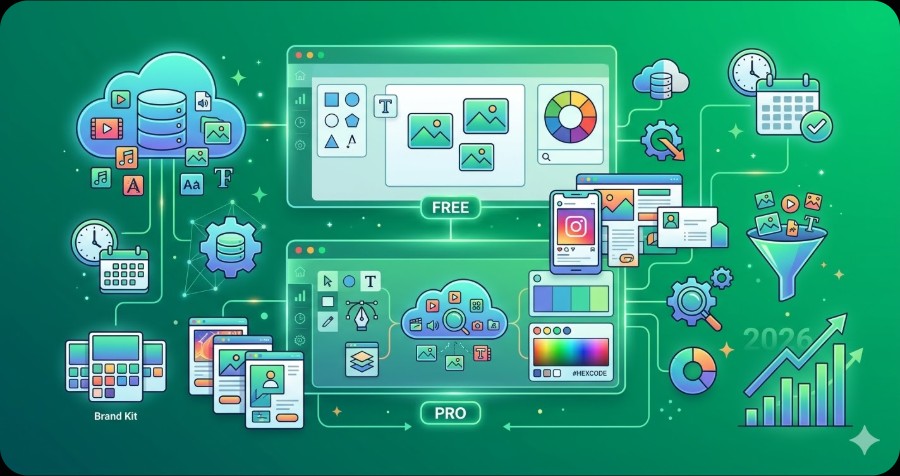
Canva offers multiple pricing tiers ranging from a free plan to enterprise options. This guide breaks down every plan, what’s included, and which one offers the best value for your needs.
Canva has evolved from a simple graphics editor into a full design platform used by over 190 million people. With three main pricing tiers — and some hidden perks — knowing exactly what each plan includes can save you from overpaying or missing features you need. Here’s the complete 2026 breakdown.
Canva Pricing at a Glance
| Plan | Price | Storage | Best For |
|---|---|---|---|
| Free | $0 | 5 GB | Individuals, students, casual use |
| Pro | $15/user/mo ($120/yr) | 1 TB | Freelancers, creators, small businesses |
| Teams | $10/user/mo ($100/yr, min 3) | 1 TB/user | Marketing teams, agencies, departments |
| Enterprise | Custom | Unlimited | Large organizations with compliance needs |
Annual billing saves up to 33% on Pro and Teams. Education and nonprofit organizations qualify for free access to Canva’s premium features through separate programs.
Canva Free: Surprisingly Capable
Price: $0/month, forever
Canva’s free plan isn’t a stripped-down trial — it’s a genuinely useful design tool. You get:
- 250,000+ free templates across social media, presentations, flyers, videos, and more
- Over 1 million free stock photos and graphics
- 5 GB cloud storage
- Basic AI tools — limited Magic Write credits for AI text generation
- Real-time collaboration — invite up to 10 people to edit
- Export in PNG, JPG, PDF, MP4
What’s missing from Free:
- No background remover (one-click removal is Pro only)
- No Brand Kit (custom fonts, colors, logos)
- No Magic Resize for reformatting designs across platforms
- Limited premium template and asset access
- No scheduled social media publishing
- Fewer AI credits (Magic Write, Magic Edit, Magic Eraser)
Verdict: For students, personal projects, and occasional social media graphics, the free plan delivers real value. You can produce professional-looking designs without spending a dollar.
Canva Pro: The Sweet Spot at $15/Month
Price: $15/user/month (or $120/year — saves $60)
Pro is where Canva becomes a serious creative tool. The jump from Free to Pro is one of the biggest value leaps in the SaaS world.
Everything in Free, plus:
- 100+ million premium stock photos, videos, audio, and graphics — this library is massive and constantly growing
- Background Remover — one click to remove backgrounds from any image
- Brand Kit — store your brand colors, fonts, and logos for one-click consistency
- Magic Resize — instantly reformat any design for Instagram, Facebook, LinkedIn, Twitter, print, and more
- 1 TB cloud storage (200x the free plan)
- Content Planner — schedule social media posts directly from Canva
- Expanded AI tools:
- Magic Write — AI copywriting for any text field
- Magic Edit — describe changes and AI applies them
- Magic Eraser — remove unwanted objects from photos
- Dream Lab — generate AI images from text prompts
- Unlimited folders for organizing designs
- Premium animations and transitions for video and presentations
- Transparent PNG export (essential for logos and overlays)
- SVG export for scalable graphics
Who it’s for: Freelancers, content creators, solopreneurs, and small business owners who produce visual content regularly. If you create more than a handful of designs per month, Pro pays for itself in time savings alone.
Is the annual plan worth it? At $120/year ($10/month effective), yes. That’s a 33% discount over monthly billing. If you’ve used Canva for even a month and plan to continue, lock in the annual rate.
Canva Teams: Built for Collaboration at $10/User/Month
Price: $10/user/month billed annually (minimum 3 users = $300/year minimum)
Teams is Pro plus everything a group needs to work together on brand-consistent content.
Everything in Pro, plus:
- Unlimited Brand Kits — manage multiple brands or clients from one account
- Brand Templates — lock elements so team members can only edit designated areas
- Team asset libraries — shared photos, graphics, logos accessible to everyone
- Approval workflows — route designs for review before publishing
- Admin controls — manage team permissions, set roles, track usage
- Team reporting — see who’s creating what and how often
- Priority support
- SSO (Single Sign-On) on Enterprise
Who it’s for: Marketing departments, design agencies, and any organization where 3+ people create visual content. The shared Brand Kit and approval workflows prevent off-brand disasters.
Important note: The 3-user minimum means your minimum annual commitment is $300. For teams of exactly 2, you’re paying for a phantom third seat.
Canva Enterprise: Custom Pricing for Large Organizations
Enterprise adds security and compliance features on top of Teams:
- SSO/SAML integration
- Advanced admin controls and audit logs
- Custom integrations with existing tech stack
- Dedicated Customer Success Manager
- SLA guarantees
- ISO 27001 and SOC 2 compliance
Pricing is negotiated based on headcount. Expect to contact sales for a quote.
Education and Nonprofit Discounts
Canva offers Canva for Education (free for K-12 teachers and students) and Canva for Nonprofits (free access to premium features for registered nonprofits). Both include most Pro features at no cost. If you qualify, these are among the best free software programs available.
What’s New in Canva Pricing for 2026?
Several notable changes in the 2026 pricing structure:
- AI tools now included — Magic Write, Magic Edit, and Dream Lab are bundled into Pro and Teams rather than charged separately. This is a significant shift from 2024 when AI features had stricter credit limits.
- Teams price drop — Teams pricing has come down to $10/user/month (annual), making it more competitive against Figma and Adobe Express.
- Expanded video editing — Pro now includes more video templates, stock video clips, and animation options, positioning Canva as a lightweight alternative to dedicated video editors.
Canva vs Figma vs Adobe Express: Quick Pricing Comparison
| Feature | Canva Pro | Figma Professional | Adobe Express Premium |
|---|---|---|---|
| Price | $15/mo | $15/editor/mo | $10/mo |
| Free plan | Yes (generous) | Yes (3 files) | Yes (limited) |
| Stock assets | 100M+ | None built-in | Adobe Stock (limited) |
| AI tools | Included | FigJam AI | Firefly AI |
| Background remover | Yes | No | Yes |
| Video editing | Yes | No | Yes |
| Prototyping | No | Yes (core feature) | No |
| Best for | Marketing & social | UI/UX design | Adobe ecosystem users |
Canva and Figma serve different purposes — Canva for marketing and social content, Figma for UI/UX design. For a detailed feature comparison, check our Canva vs Figma breakdown.
If you’re exploring all your options, our best free design tools guide covers the full landscape including Penpot, Pixlr, and more.
Which Canva Plan Should You Choose?
Stay on Free if: You design occasionally, don’t need brand consistency, and mostly use standard templates. The free plan is more capable than most people realize.
Get Pro if: You create content regularly, need the background remover, want access to premium assets, or need Brand Kit for consistent branding. This is the right plan for most individual users.
Go Teams if: Three or more people create content together and you need shared brand assets, approval workflows, and admin controls.
Enterprise if: You have 50+ users and need SSO, compliance certifications, and a dedicated account manager.
Verdict
Canva’s free plan remains one of the most generous in the design tool space. For most individual creators and small businesses, Canva Pro at $15/month (or $10/month annual) is the sweet spot — you get the full AI toolkit, 100M+ premium assets, and brand management without team overhead.
The Teams plan makes genuine sense for organizations with 3+ content creators. At $10/user/month (annual), it’s priced competitively against both Figma and Adobe, while offering a much lower learning curve.
Compare design tools side by side → Canva vs Figma: Which design tool is right for you?
Frequently Asked Questions
Is Canva free?
Yes, Canva offers a free plan with limited features. See the pricing breakdown above for what’s included in each tier.
Is Canva worth paying for?
It depends on your needs. The free plan works for basic use, but teams and power users will benefit from paid features. See our plan-by-plan analysis above.
What is the cheapest Canva plan?
Check the pricing table above for the most current pricing. Plans and pricing may change — we update this page regularly.